Readiness, Strain and Sleep.
- ReadinessBaro's recovery score. It shows how recovered you are today, mostly from last night's HRV against up to 60 earlier nights with HRV. Resting heart rate and short sleep adjust it. Baro labels it High, Moderate or Low.
- StrainHow hard the day was on your heart, from 0 to 100. It builds from when you wake up to when you next fall asleep. A suggested range shows how much strain fits today, based on your readiness and recent strain.
- SleepHours slept against the sleep you need. Your need goes up after a hard day and with sleep debt, and down after a nap.
These are Baro's own calculations from your Fitbit data. They are not WHOOP's scores, and they won't match WHOOP's or Google's numbers.
How Baro differs from WHOOP.
- No second wearable.WHOOP memberships come with WHOOP's own sensor and band. Baro uses the Fitbit you already have, through Google Health.
- Different sensors.Baro can only use what your Fitbit records and sends to Google Health. Simpler trackers record less. Without overnight HRV there is no Readiness.
- No coaching.WHOOP lists AI coaching in every membership. Baro has no coach and no chat. It shows your numbers and what shaped them.
- No subscription.WHOOP is a paid membership. Baro is free, with no in-app purchase.
WHOOP details from WHOOP's membership support page, checked October 8, 2026.
What it looks like.
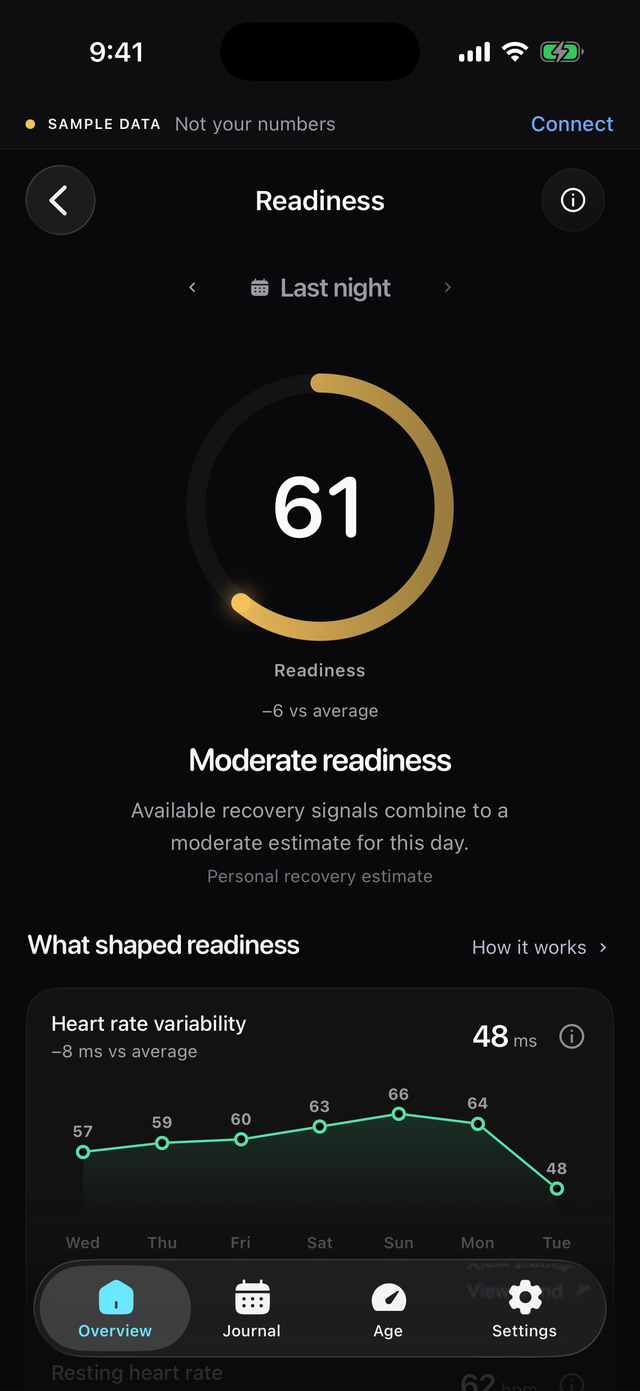
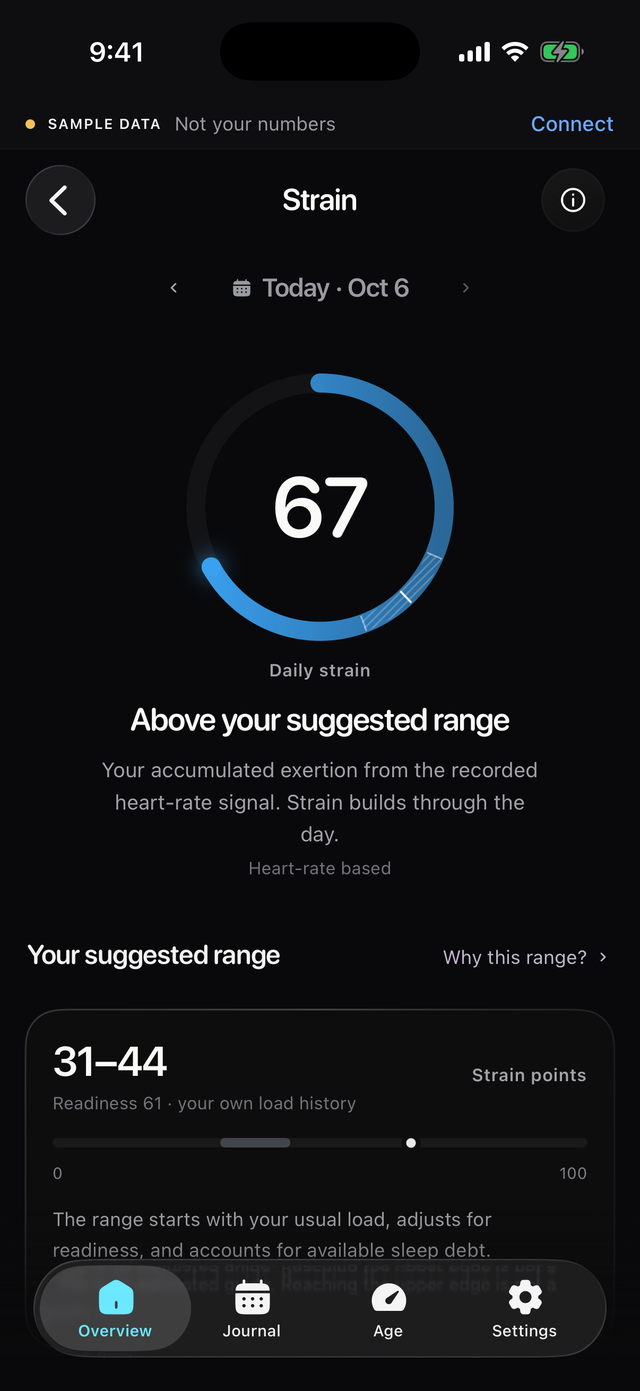
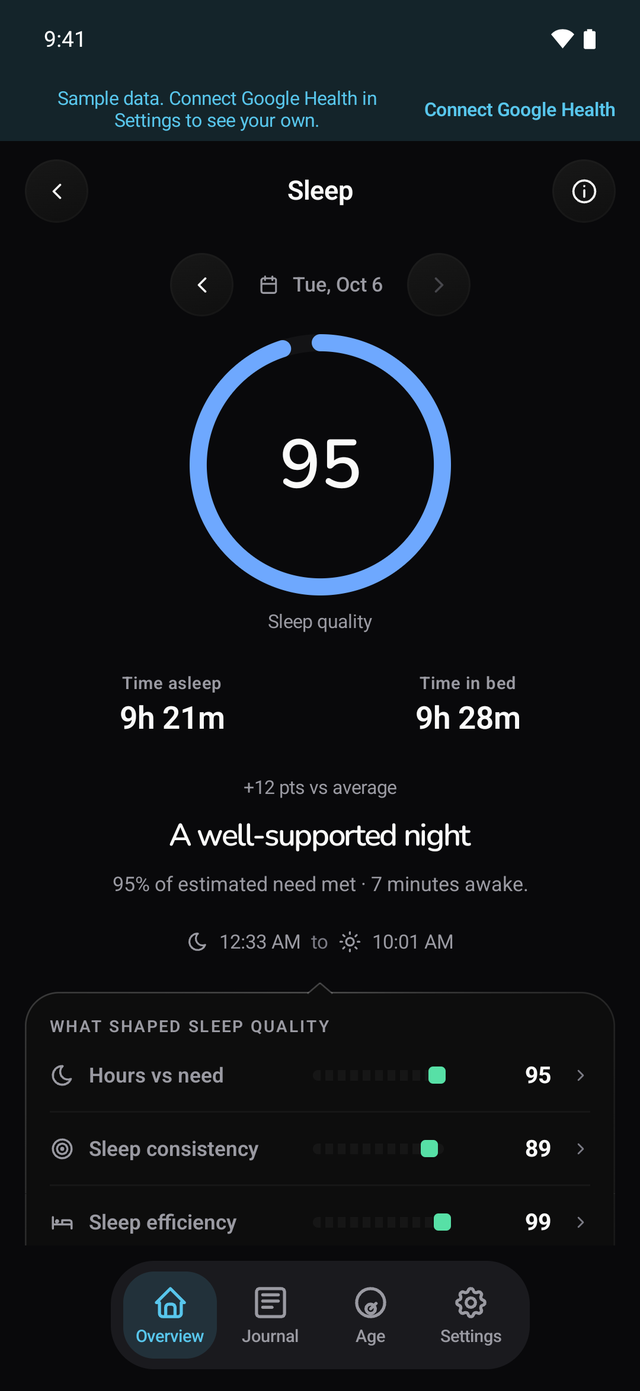
Baro on iPhone and Android, shown with sample data.
Free. Here's how to start.
You need an iPhone with iOS 18 or later, or an Android phone with Android 13 or later, and a Google account with your Fitbit data.
- Install Baro.From the App Store or Google Play.
- Connect Google Health.Open Baro, tap Connect and sign in with the Google account that has your data.
- Let it sync.Recent days come in first. Older history, up to six months back, follows in the background.
Your data goes from Google Health to your phone. There are no Baro servers in between.
What stays in Google Health.
- Setting up your device.A Fitbit is set up in the Google Health app, and a Pixel Watch in the Pixel Watch app. Your health data then syncs to Google Health, and Baro reads it from there. Baro doesn't set up devices.
- Syncing.Your Fitbit syncs to Google Health. Baro reads what has synced there. If data is missing in Google Health, Baro can't fill the gap.
- Food.Baro doesn't track food. Log meals in the Google Health app or a food app.
- An AI coach.Google Health Coach comes with Google Health Premium. Baro has no coach.
- A desktop view.There's no web or desktop dashboard. Baro runs on your iPhone or Android phone only.
Questions.
Are Baro's scores the same as WHOOP's?
No. Baro calculates its own Readiness, Strain and Sleep from your Fitbit data in Google Health. They cover the same three ideas, but they are not WHOOP's scores and the numbers won't match.
Do I need to buy another wearable?
No. Baro works with the Fitbit or Pixel Watch you already use, as long as it syncs to Google Health.
Does Baro cost anything?
No. Baro is free. There is no subscription and no in-app purchase.
What if my Fitbit doesn't record HRV?
Readiness needs overnight HRV, so Baro can't score it. Sleep, resting heart rate and Strain still show.