Android setup

Connect your real data, directly.

Baro connects directly to Google Health from your Android phone. It reads the health data you authorize and stores supported history locally for your dashboard, trends, and personal baselines.

Android 14+Google HealthRead onlyLocal-first
Step 01

Connect Google Health.

Use the Google account with the health history you want Baro to read.

Authorize read-only access

  1. Open Baro and go to Settings.
  2. Under Data & Privacy, tap Connect Google Health.
  3. Read Baro's data-use disclosure and continue.
  4. Choose your Google account and approve the requested read-only health permissions.

Baro connects directly to Google Health. It does not use Health Connect or request write access.
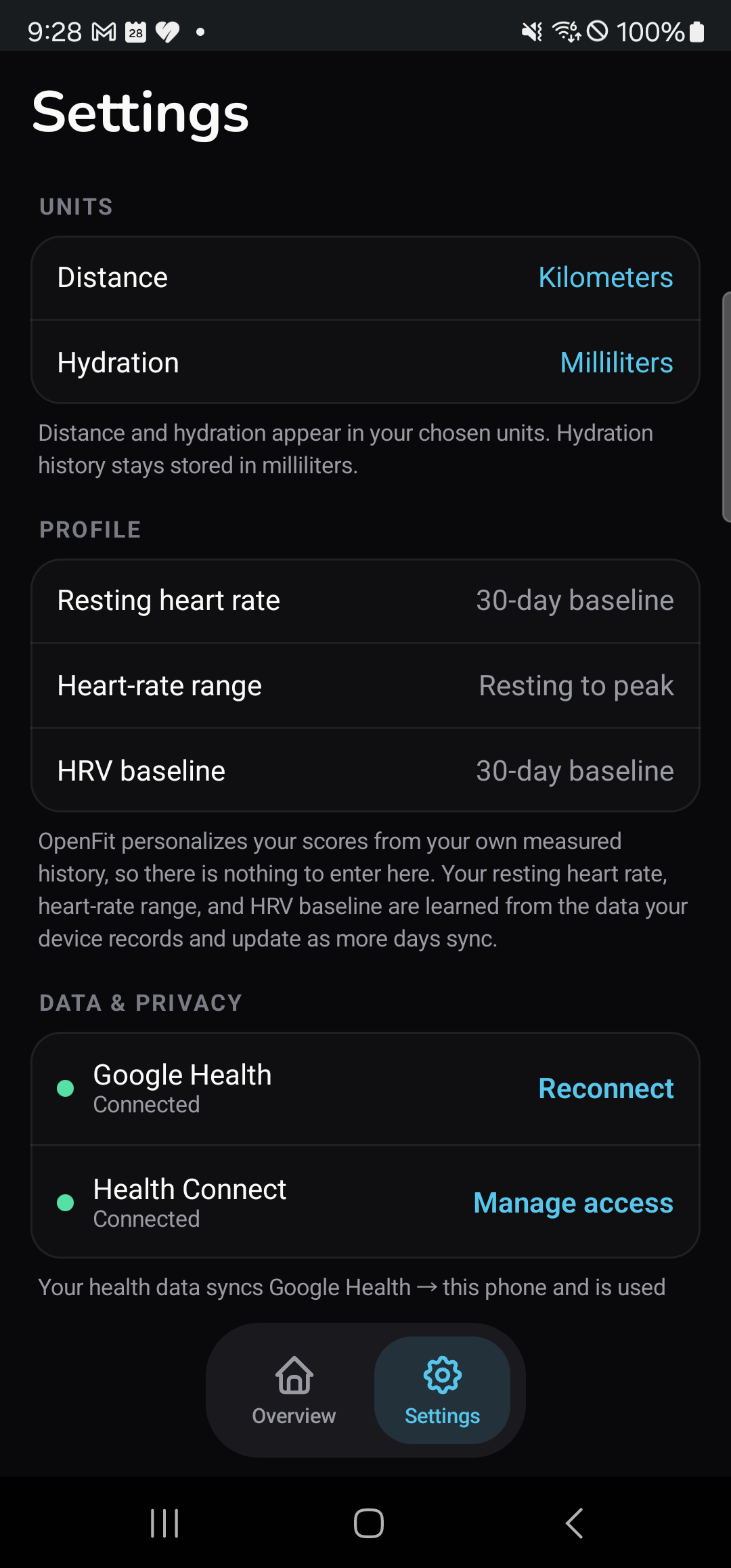
Baro settings showing Google Health connected
After authorization, Google Health should show Connected in Baro Settings.
Step 02

Let your first sync settle.

Baro first prepares the newest useful dashboard and then continues older history in bounded background passes.

Stay onlineKeep a stable connection while Google Health returns the first pages.
Keep Baro openWait for the loading state to become your dashboard.
Expect honest gapsA dash or broken line means Google did not provide that signal.
Keep data localSupported history stays in Baro's private Room/SQLite database.
Step 03

Know you're connected.

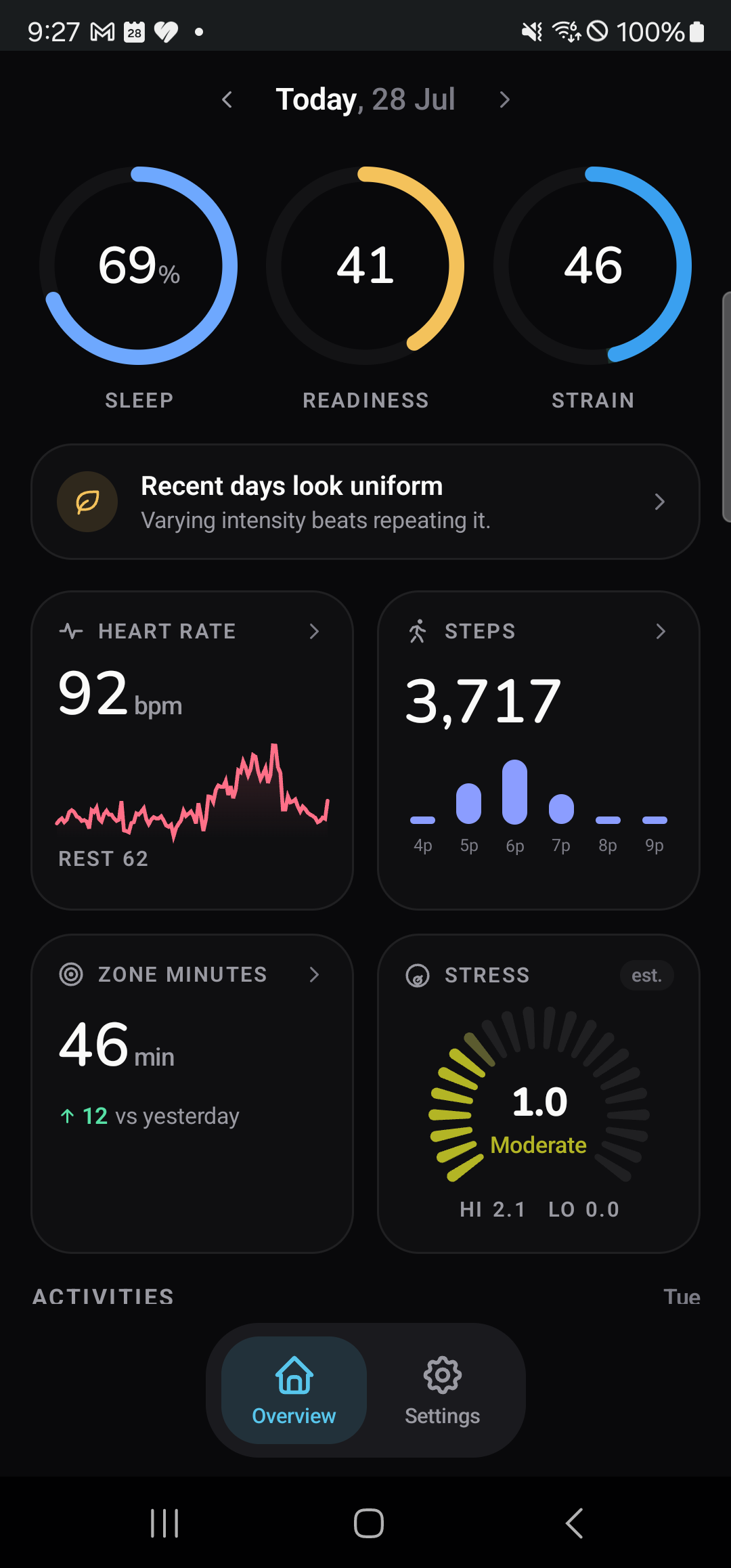
The dashboard should reflect your own recent data when Google Health provides it.

Three quick checks

  1. In Settings, Google Health says Connected.
  2. Overview shows your personal readings, rather than sample data.
  3. Compare a recent step count or sleep duration with Google Health for the same date.

If a connection is blocked, first confirm the intended Google account. Do not send a password or authorization code to support.

Baro Android overview showing personal health data
Values vary by person, date, and the data Google Health provides.

Need help?

If Google Health says Connected but the dashboard is empty or stale, keep Baro open on a stable connection and try one safe refresh.

Email support